
Welcome to the Booking Hub
Your bookings will be listed bellow once your account has been activated
How to place a booking?
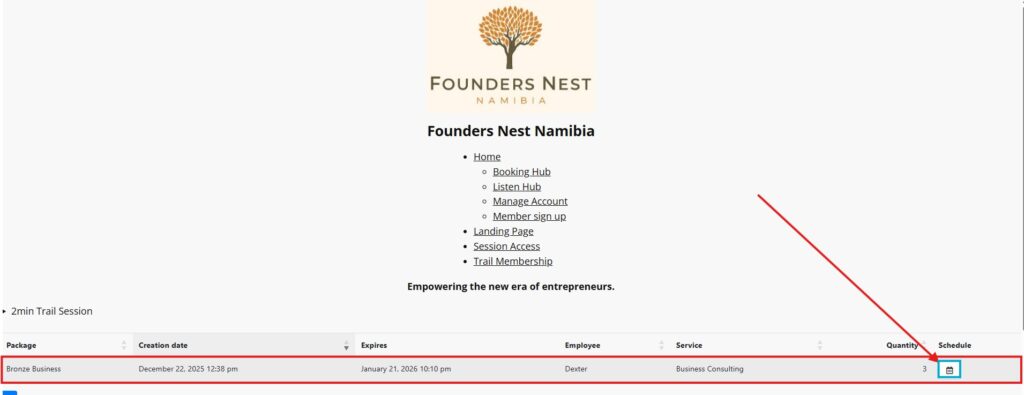
Once your account has been created and payment been linked, you will see the package you have subscribed to in the list. Click on the calendar icon to open the booking screen to select the day and time you would like to have the online session.
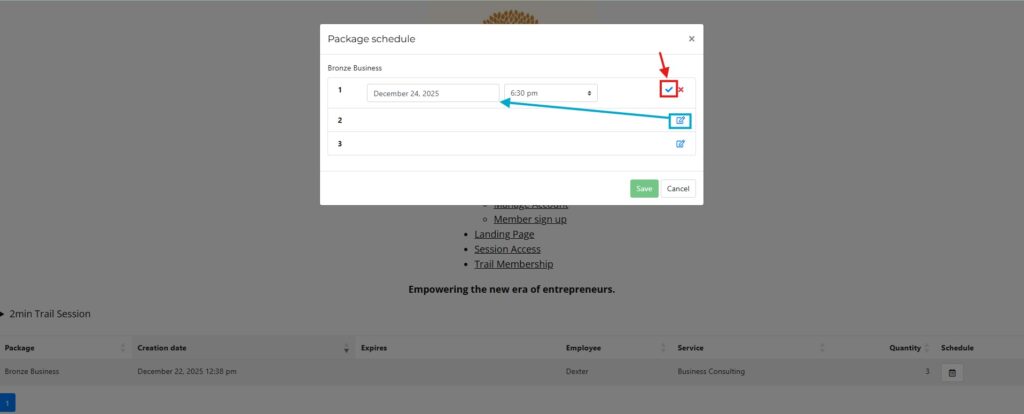
By clicking on the blue pencil icon, you will have the option to choose the date and time. Once this has been selected, you need to accept your selection by clicking on the red indicated icon to close the selection.
This screen will always show if the account is active. If you need to reschedule, cancel a booking, or book a session later within the active month.
Once you have saved the sessions, an email will be sent to the staff for approval. When the approval has been processed, you will receive an email with the booking link. The link is unique to your booking and for one-time use.